ASUS has brought the ScreenPad dual-screen concept to the ZenBook Pro last year, and now ASUS has once again launched the ZenBook Pro Duo. This is a powerful 15-inch notebook with a huge ScreenPad Plus auxiliary display. Although it is an auxiliary display, it is more like a fully functional second display installed on a laptop. At least, it's more advanced than Apple's Touch Bar.
Display
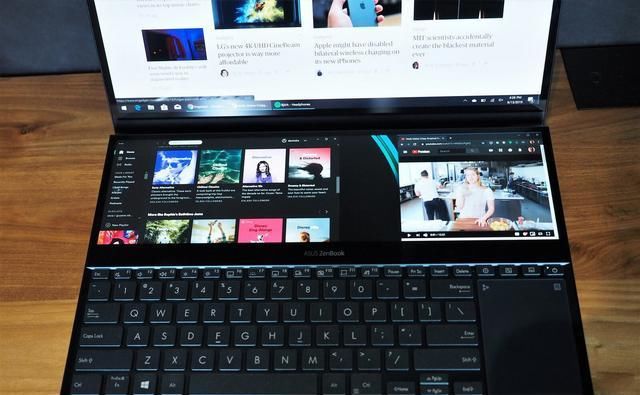
ZenBook Pro Duo proves that the auxiliary screen can be very useful in a laptop. Not everyone will like it, but if you need to use multiple monitors on your desktop, Pro Duo may also be able to meet your mobile needs.
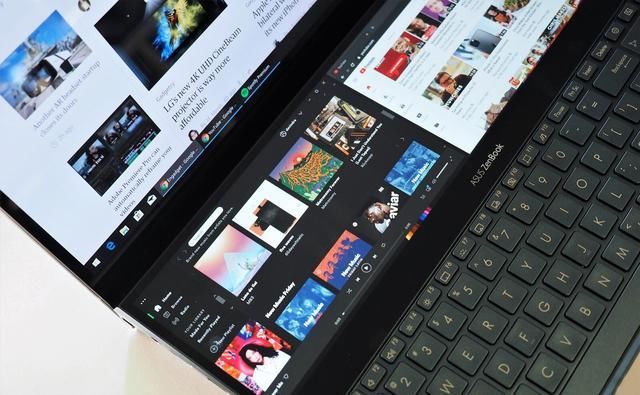
The ScreenPad Plus has a diagonal size of 14 inches, but its height is less than 4 inches. So its resolution may be a bit strange: 3840 x 1100 pixels. It basically cuts a 4K screen into two halves. You can open three applications side by side on top of it.
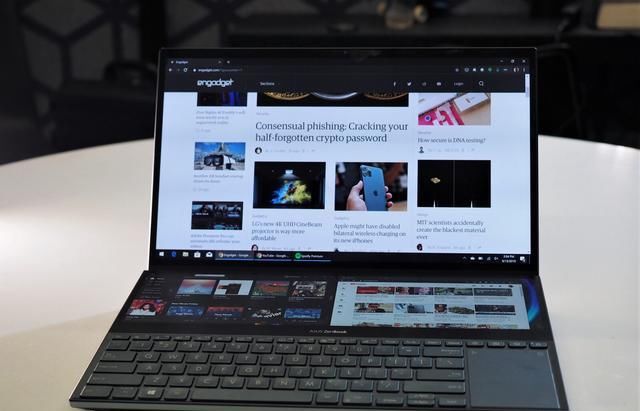
The ScreenPad Plus is like the second monitor on a desktop: just drag the mouse down to access the second display from the primary display. You can drag the app and arrange it as needed, or you can swap the display of two screens with a single button. A small toolbar appears when you move the window on the home screen, allowing you to quickly send the app to the bottom screen. If you are used to using two monitors, it feels natural to move between the screens of ScreenPad Plus. If you've been using a single screen all the time, it may take a while to get used to.
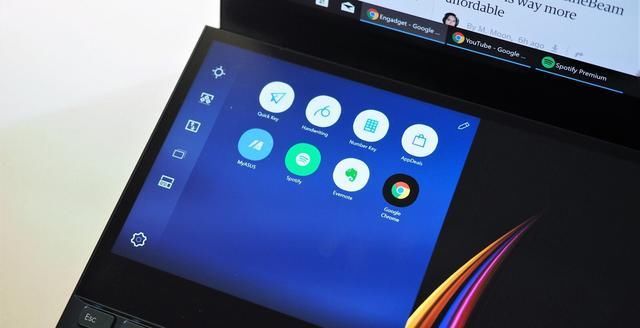
Both monitors on the ZenBook Pro are touch screens, but I found the touch on the ScreenPad Plus to be the most useful, allowing you to quickly switch between tracks in the playback or switch between program windows. Extra-wide secondary screens are also useful for media editing applications, and it's convenient to expand the toolbar or display the full timeline.
There are also some issues with ScreenPad Plus, which differs greatly from the display quality of the ZenBook Pro Duo's 15.6-inch 4K OLED main screen. The large display has all the advantages of HDR and OLED, black is dark black, and the contrast is high, while ScreenPad Plus is a color LCD panel. It is cumbersome to adjust the brightness of the two displays separately. The brightness control button only works on the main screen, so it must be set separately for the ScreenPad Plus. Because the screens are very different, it is difficult to match colors, which is not friendly enough for art writers.
However, in actual use, dual-screen notebooks can still play a huge role. You can work on a full-size screen while chasing the drama. Using the ZenBook Pro Duo does not require all open windows to be arranged on a single display like most laptops.
Configuration and performance
In addition to the features of two monitors, the ZenBook Pro Duo is also a powerful computer. The prototype we evaluated used Intel's 9th generation eight-core i9-9980HK CPU, NVIDIA's RTX 2060 GPU and 32GB of DDR4 RAM. This configuration is already capable of handling heavy task processing, and of course, it is also capable of running most of today's large games.
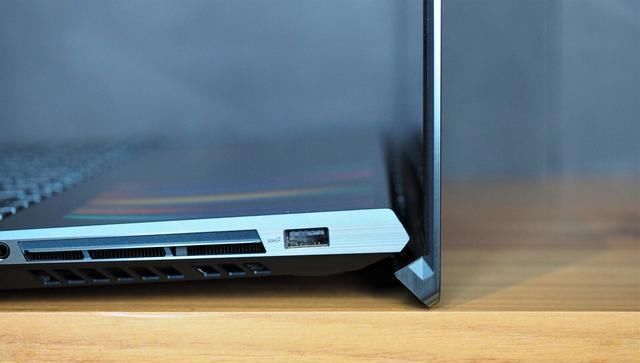
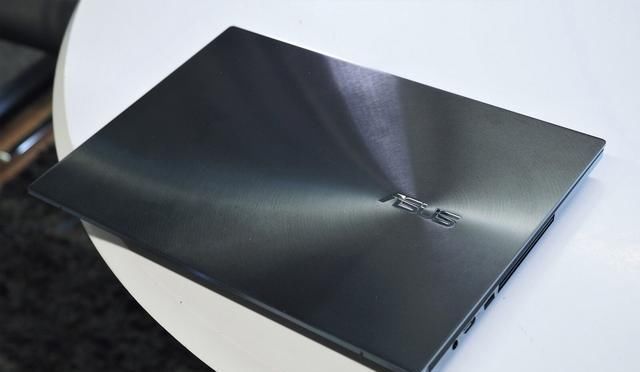
The Pro Duo looks like an oversized version of the ASUS ultra-portable notebook with a smooth metal case with polished edges on both sides. There is also a range of expandable interfaces including HDMI, USB-C and two USB-A 3.1 interfaces. However, the main computer for large-scale tasks does not have a built-in SD card reader.
In order to accommodate the second screen, ASUS must move the keyboard to the bottom of the laptop, and the touchpad can only be placed on the right side. This layout still takes time to adapt, but the size of the keyboard and touchpad is enough to support your flexibility, not as small as HP's Omen X 2S. The full-size keyboard is great for typing, with larger buttons and a 1.4mm button stroke. Typing is more like an external keyboard. The main drawback of ZenBook Pro Duo is that it's very big. It weighs 2.5 kilograms and has a thickness of about 2.5 centimeters, almost twice the thickness of the DELL XPS 15. Of course, the XPS 15 doesn't have two screens and uses a lower NVIDIA GTX 1650 graphics card. Apple's 15-inch MacBook Pro is also significantly lighter than the Pro Duo, which is only 1.8 kilograms, but it is not an OLED screen.
battery
Pro Duo's battery life can be imagined, because the use of two screens will not last long. It lasts for about three to four hours under normal working conditions. In the case where both screens are enabled and HD video is looped, 3 hours and 50 minutes are used. And only the main screen was opened for 6 and a half hours.
to sum up
Although Pro Duo looks a bit cumbersome, it proves that it is worthwhile to add a second-sized screen of the right size to the laptop. At this year's Computex, Intel also brought its dual-screen prototype, so there may be more PC manufacturers to adopt this design.
>>>>>>>>>>ASUS laptop battery
评论
发表评论